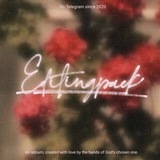
ㅤㅊ。Colored chromatic font effect on
ㅤIPX by @EditingPack's Juneya. #Tutors.
ㅤFont used : Future TimeSplitters
ㅤ───────────────────── • •
ㅤFor any further questions please
ㅤcontact @KooJunho or @JunhoeBot
ㅤIPX by @EditingPack's Juneya. #Tutors.
ㅤFont used : Future TimeSplitters
ㅤ───────────────────── • •
ㅤFor any further questions please
ㅤcontact @KooJunho or @JunhoeBot
⋆ Add text apapun yang mau kamu kasih effect terus rasterize layer text tersebut.
⋆ Duplicate layer text yang udah di rasterize tadi, matikan layer yang atas (duplicated layernya) terus pilih layer yang bawah.
⋆ F(x) > Artistic terus tinggal pilih effect "Chrome". Hasil effect ini bakal beda-beda tergantung settings kalian di set gimana ya. Kalau udah selesai dikasih efeknya, hidupin lagi layer yang atasnyaa.
⋆ Repeat step yang sama kayak sebelumnya tapi bedanya cuma di warna efek di layer ini harus abu-abu. Kalo udah selesai dikasih efek, pilih blend mode > screen.
ㅤㅊ。Grain effect on IPX
ㅤ #Tutors by @EditingPack's Juneya.
ㅤ───────────────────── • •
ㅤFor any further questions please
ㅤcontact @KooJunho or @JunhoeBot
ㅤ #Tutors by @EditingPack's Juneya.
ㅤ───────────────────── • •
ㅤFor any further questions please
ㅤcontact @KooJunho or @JunhoeBot
⋆ Artistic > Noise terus atur strength, amount, dan blending mode grain effectnya.