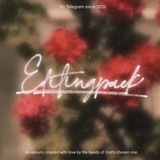
#기재 ✧ #textures: Film grain textures.
These textures were created by Editingpack and free for both personal and commercial use. For commercial purposes please check this post and our regulations.
These textures were created by Editingpack and free for both personal and commercial use. For commercial purposes please check this post and our regulations.
❤3👍1🎉1
ㅊ。Here's the preview for each textures and an example of how to use it, even so please feel free to use it the way you want it. Zoom in for clearer details.
#Tutors ✧ How to use texture. For any further questions, feel free to contact @KooJunho or @JunhoeBot.
01. As usual, import texture yang mau kalian pasang ke foto yang mau dikasih texture. Caranya sama kaya import foto biasa di Ibis Paint kok.
02. Kalau udah, click option Layer Tool terus pilih blend mode untuk texture-nya. Engga ada ketentuannya, pilih blend mode mana aja yang sekiranya sesuai buat texture kalian nanti. Setelah blend mode-nya diatur, opacity layer-nya juga jangan lupa disesuain and you're done!
02. Kalau udah, click option Layer Tool terus pilih blend mode untuk texture-nya. Engga ada ketentuannya, pilih blend mode mana aja yang sekiranya sesuai buat texture kalian nanti. Setelah blend mode-nya diatur, opacity layer-nya juga jangan lupa disesuain and you're done!