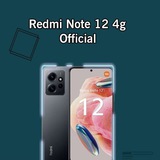
Changelogs:
• Added Blur Control Center
• Added new wallpapers options (Magazine covers, Diamonds and others.)
• New package installer
• Improved system stability and performance
• Added fps restriction removed
• Added a new theme option
• Added new security center app updated
• Added new app vault updated
• Added Blur Control Center
• Added new wallpapers options (Magazine covers, Diamonds and others.)
• New package installer
• Improved system stability and performance
• Added fps restriction removed
• Added a new theme option
• Added new security center app updated
• Added new app vault updated
Step Flash ROM:
1) Unzip the zip file.
2) Open the unzipped folder
3) Look for the cmd.bat file (Exemple: windows_fastboot_first_install_with_data_format.bat)
4) Double click on the file
5) A Y/N confirmation message will appear
6) Type y to confirm
7) Wait for the process to complete
8) After completion your phone will restart automatically
1) Unzip the zip file.
2) Open the unzipped folder
3) Look for the cmd.bat file (Exemple: windows_fastboot_first_install_with_data_format.bat)
4) Double click on the file
5) A Y/N confirmation message will appear
6) Type y to confirm
7) Wait for the process to complete
8) After completion your phone will restart automatically
❤1👍1
This media is not supported in your browser
VIEW IN TELEGRAM

Changelogs:
• Sync Latest Source (January Patch)
• Switch Vendor to OSS Based
• Import Xiaomi Perf Changes from AOSPA
• Configure zram based on xiaomi sm6225-common
• Enable the pre-rendering feature
• Disable vsync for CPU rendered Apps
• More Improvement & Stability
• Rework Overlay QSSI
• Add blkio tuning from sunfish
• Import patched RILs from MIUI V14.0.8.0.TMGMIXM
• Partially import xiaomi parts from raphael & sm8350-common
• HorizonDroid Android 13
• Codename : " Luna "
• Device : Redmi Note 12 4G NFC
• Codename : " Luna "
• Device : Redmi Note 12 4G NFC
👍2