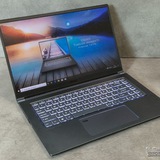
GE75 Raider - Restore or Retire?
/r/GamingLaptops/comments/1uv3fr7/ge75_raider_restore_or_retire/
https://redd.it/1uv3fxc
@MSILaptops
/r/GamingLaptops/comments/1uv3fr7/ge75_raider_restore_or_retire/
https://redd.it/1uv3fxc
@MSILaptops
Reddit
From the MSILaptops community on Reddit: GE75 Raider - Restore or Retire?
Posted by myfckincinnamonapple - 1 vote and 0 comments
My laptops backspace button works but doesn’t register sometimes
Also the touch pad broke a few months back and dosent work can anyone give advice on what I should do because I have only had it for a year and a half and I take decent care of it you can ask for pictures of it if you need it to better understand
https://redd.it/1uv9d0o
@MSILaptops
Also the touch pad broke a few months back and dosent work can anyone give advice on what I should do because I have only had it for a year and a half and I take decent care of it you can ask for pictures of it if you need it to better understand
https://redd.it/1uv9d0o
@MSILaptops
Reddit
From the MSILaptops community on Reddit
Explore this post and more from the MSILaptops community
Buying supplies for repasting MSI GF65 Thin 9SEXR. Need advice🙏
Hello everyone! I have an MSI GF65 Thin 9SEXR (i7-9750H, RTX 2060) that hasn't been cleaned for uhh about 2 years I think. and the stock thermal pads are about 5-6 years old..(to be honest, I didn't even know about their existence until recently). It's overheating like crazy and causing massive FPS drops even in light games. I'm going to take it to a local service center for cleaning, but I want to buy all the materials myself beforehand to ensure high quality.
Based on some searches I made, I'm planning to buy: 1. Honeywell PTM7950 pad for CPU and GPU. 2. Upsiren U6 Pro (or similar thermal putty) for VRAM and VRM instead of traditional thermal pads, due to potential clearance and pressure issues.
Also, what sizes of pad and what volume of thermal putty should I get for this laptop?
Does this combination work well for the GF65 chassis? If there any better alternatives for thermal putty I would LOVE if you could recommend them. Thanks in advance!
https://redd.it/1uvaqha
@MSILaptops
Hello everyone! I have an MSI GF65 Thin 9SEXR (i7-9750H, RTX 2060) that hasn't been cleaned for uhh about 2 years I think. and the stock thermal pads are about 5-6 years old..(to be honest, I didn't even know about their existence until recently). It's overheating like crazy and causing massive FPS drops even in light games. I'm going to take it to a local service center for cleaning, but I want to buy all the materials myself beforehand to ensure high quality.
Based on some searches I made, I'm planning to buy: 1. Honeywell PTM7950 pad for CPU and GPU. 2. Upsiren U6 Pro (or similar thermal putty) for VRAM and VRM instead of traditional thermal pads, due to potential clearance and pressure issues.
Also, what sizes of pad and what volume of thermal putty should I get for this laptop?
Does this combination work well for the GF65 chassis? If there any better alternatives for thermal putty I would LOVE if you could recommend them. Thanks in advance!
https://redd.it/1uvaqha
@MSILaptops
Reddit
From the MSILaptops community on Reddit
Explore this post and more from the MSILaptops community
Shutdown problem
Hey so I have msi gf63 thin 10uc 3050 laptop. My problem is that when I'm playing games and if I set this laptop on performance any other mod except battery and if electricity suddenly goes or i mistakenly unplugged my laptop it shuts down like complety Black everything goes off. It only happen if ac current goes suddenly but if I play on battery mod it works fine even while gaming. It only behave like like this when playing games normal tasks fine. Any solution?
Ps: idk if it's msi problem or not because I didn't see this in my friend's laptop he has hp
https://redd.it/1uv7up6
@MSILaptops
Hey so I have msi gf63 thin 10uc 3050 laptop. My problem is that when I'm playing games and if I set this laptop on performance any other mod except battery and if electricity suddenly goes or i mistakenly unplugged my laptop it shuts down like complety Black everything goes off. It only happen if ac current goes suddenly but if I play on battery mod it works fine even while gaming. It only behave like like this when playing games normal tasks fine. Any solution?
Ps: idk if it's msi problem or not because I didn't see this in my friend's laptop he has hp
https://redd.it/1uv7up6
@MSILaptops
Reddit
From the MSILaptops community on Reddit
Explore this post and more from the MSILaptops community
MSI 63GF Thin – audio COMPLETELY stopped working
I was playing Counter Strike: Source on my Linux Mint partition. It completely froze, like the entire screen completely froze i couldnt even tab out so I held down the power button to turn it off and I turned it on again. When it turned on audio was completely gone. Both on my Linux partition and Windows partition. It still detects the Realtek audio device on both operating systems but it just produces zero sound. I tried reinstalling audio drivers on both but it didnt work. I tried completely draining the battery which fixed the issue in the past but it didnt fix it now. I tried plugging in my external speakers into the audio jack whivh also worked in the past but now it just doesnt detect them. I'm so pissed off at this and I have no idea what I should do and im tempted to just sell this piece of shit and buy a new computer
https://redd.it/1uvfhef
@MSILaptops
I was playing Counter Strike: Source on my Linux Mint partition. It completely froze, like the entire screen completely froze i couldnt even tab out so I held down the power button to turn it off and I turned it on again. When it turned on audio was completely gone. Both on my Linux partition and Windows partition. It still detects the Realtek audio device on both operating systems but it just produces zero sound. I tried reinstalling audio drivers on both but it didnt work. I tried completely draining the battery which fixed the issue in the past but it didnt fix it now. I tried plugging in my external speakers into the audio jack whivh also worked in the past but now it just doesnt detect them. I'm so pissed off at this and I have no idea what I should do and im tempted to just sell this piece of shit and buy a new computer
https://redd.it/1uvfhef
@MSILaptops
Reddit
From the MSILaptops community on Reddit
Explore this post and more from the MSILaptops community
The backlight on the top rows of keyboard keys (Esc, F1–F12, etc.) flashes dimly when the backlight is turned off.
Hello. I have a Titan 18 HX laptop. Basically, the problem is as described in the thread title. It was working fine yesterday, but when I turned it on today, the backlight was off. However, the top row is flickering dimly. When I hold down the Fn key, the Esc through F11 keys light up brightly. I tried reinstalling the SteelSeries GG app, but that didn't help. The top row flickers dimly in the BIOS as well. An EC reset didn't help.
https://redd.it/1uvffgy
@MSILaptops
Hello. I have a Titan 18 HX laptop. Basically, the problem is as described in the thread title. It was working fine yesterday, but when I turned it on today, the backlight was off. However, the top row is flickering dimly. When I hold down the Fn key, the Esc through F11 keys light up brightly. I tried reinstalling the SteelSeries GG app, but that didn't help. The top row flickers dimly in the BIOS as well. An EC reset didn't help.
https://redd.it/1uvffgy
@MSILaptops
Reddit
From the MSILaptops community on Reddit
Explore this post and more from the MSILaptops community
My MSI Alpha 17 suddenly starts dropping FPS and performance and fans run like crazy.
As the title says, after a short period of gaming the fans make alot of noise and performance drops, it's a new laptop too (I bought it 1 month ago).
https://redd.it/1uvio5u
@MSILaptops
As the title says, after a short period of gaming the fans make alot of noise and performance drops, it's a new laptop too (I bought it 1 month ago).
https://redd.it/1uvio5u
@MSILaptops
Reddit
From the MSILaptops community on Reddit
Explore this post and more from the MSILaptops community
Advice
I am about to open my msi thin 15 to clean the fan with compressed air. In most of the disassembly videos ive seen on youtube, they usually also remove the fan which is also connected to the vents. Although I am confident of removing the back panel, Im a bit worried I might do something wrong when removing the fan. Do i have to remove the fan or can I get away without removing the fan and just cleaning the propeller.
https://redd.it/1uvmf1c
@MSILaptops
I am about to open my msi thin 15 to clean the fan with compressed air. In most of the disassembly videos ive seen on youtube, they usually also remove the fan which is also connected to the vents. Although I am confident of removing the back panel, Im a bit worried I might do something wrong when removing the fan. Do i have to remove the fan or can I get away without removing the fan and just cleaning the propeller.
https://redd.it/1uvmf1c
@MSILaptops
Reddit
From the MSILaptops community on Reddit
Explore this post and more from the MSILaptops community
High CPU temperatures - Intel core Ultra 7 255 HX - MSI laptop crosshair 16 hx ai
https://redd.it/1uvoqej
@MSILaptops
https://redd.it/1uvoqej
@MSILaptops
Possible upgrades to the heatsinks and internal fans for MSI GE76 Raider 11UE-046?
Hello, I had this laptop since 2023 and maintained it well, I did my last repaste and reputty in December 2025. Instead of going with the stock heatsinks and fans, in case it goes bad later on, what other products are good recommendations you have for my laptop?
https://redd.it/1uvrb4g
@MSILaptops
Hello, I had this laptop since 2023 and maintained it well, I did my last repaste and reputty in December 2025. Instead of going with the stock heatsinks and fans, in case it goes bad later on, what other products are good recommendations you have for my laptop?
https://redd.it/1uvrb4g
@MSILaptops
Reddit
From the MSILaptops community on Reddit
Explore this post and more from the MSILaptops community
thermal interface on a laptop
I'm going to replace the thermal interface on my MSI Thin A15 B7UC. But I'm afraid that there might be liquid iron under the cooler. Who knows what kind of coating it has?
https://redd.it/1uvr501
@MSILaptops
I'm going to replace the thermal interface on my MSI Thin A15 B7UC. But I'm afraid that there might be liquid iron under the cooler. Who knows what kind of coating it has?
https://redd.it/1uvr501
@MSILaptops
Reddit
From the MSILaptops community on Reddit
Explore this post and more from the MSILaptops community
problem with screen after waking up form sleep mode
msi vector 16 hx
Lately im having this problem whenever i try to wake up my laptop from sleep mode sometimes it would just be a black screen but i can hear the music in background and the only thing i can see is the cursor which seems to interact with the web page i left on when it went to sleep.
Sometimes it's even worse because the laptop would just restart itself after the black screen
But sometimes if i leave the laptop to go to sleep and wake it up again it would return normal.
Btw i already tried to disable fast star up, update the gpu driver, performed a hard reset on the laptop through button button and the quick driver reset doesnt seem to work.
I dont want to be paranoid but this problem seems to have started to appear since i updated the bios to the latest version E15M3IMS.117, can anyone with this version tell me if they are experiencing the same issue?
I also saw that one of the nvidia driver update fixed the issue where some screen would not wake up from sleep mode and i updated it and at first it seems to have worked but after a while the problem reappeared
Any suggestion?
https://redd.it/1uvr3jo
@MSILaptops
msi vector 16 hx
Lately im having this problem whenever i try to wake up my laptop from sleep mode sometimes it would just be a black screen but i can hear the music in background and the only thing i can see is the cursor which seems to interact with the web page i left on when it went to sleep.
Sometimes it's even worse because the laptop would just restart itself after the black screen
But sometimes if i leave the laptop to go to sleep and wake it up again it would return normal.
Btw i already tried to disable fast star up, update the gpu driver, performed a hard reset on the laptop through button button and the quick driver reset doesnt seem to work.
I dont want to be paranoid but this problem seems to have started to appear since i updated the bios to the latest version E15M3IMS.117, can anyone with this version tell me if they are experiencing the same issue?
I also saw that one of the nvidia driver update fixed the issue where some screen would not wake up from sleep mode and i updated it and at first it seems to have worked but after a while the problem reappeared
Any suggestion?
https://redd.it/1uvr3jo
@MSILaptops
Reddit
From the MSILaptops community on Reddit
Explore this post and more from the MSILaptops community
Msi Bios Problem
i cant leave msi bios because of a security boot issue error code but i cant disable security boot any suggestions?
https://redd.it/1uvlc8k
@MSILaptops
i cant leave msi bios because of a security boot issue error code but i cant disable security boot any suggestions?
https://redd.it/1uvlc8k
@MSILaptops
Reddit
From the MSILaptops community on Reddit
Explore this post and more from the MSILaptops community
Im planning on buying a Gaming Laptop but all im hearing about the brand are bad things
I dont have much experience regarding gaming laptops but the general consensus im getting online is that MSI is bad and isnt worth the price.
My budget is around 70k php pesos, for a MSI Cyborg but all the reviews im seeing online just tell me to buy something else or get a bigger budget.
https://redd.it/1uw674l
@MSILaptops
I dont have much experience regarding gaming laptops but the general consensus im getting online is that MSI is bad and isnt worth the price.
My budget is around 70k php pesos, for a MSI Cyborg but all the reviews im seeing online just tell me to buy something else or get a bigger budget.
https://redd.it/1uw674l
@MSILaptops
Reddit
From the MSILaptops community on Reddit
Explore this post and more from the MSILaptops community
Need help: Want to run RAM at 5600 MHz on Raider GE78HX 13VH
So, I just recently upgraded my RAM to 64 GB 5600 MHz RAM in my Raider GE78HX 13VH. I know the RAM operates at 5600 MHz because it was running at 5600 Mhz in another laptop. The memory is Samsung 32GB DDR5 5600MHz PC5-44800 SODIMM 2Rx8 Dual Rank CL46 1.1v 262pin Non-ECC M425R4GA3BB0.
My question is how do I get it to run at 5600 MHz instead of 4800 MHz. I have gone into the advanced BIOS settings but I don't see any XMP profiles. Also when I do a 56 multiplier on the RAM, the system takes forever to boot. Any advice is appreciated as MSI tech support has been useless as they state they don't support overclocking...even though the product specifications state that the laptop can handle up to 5600 MHz RAM.
Thanks in advance for any help you can provide.
https://redd.it/1uw6dn7
@MSILaptops
So, I just recently upgraded my RAM to 64 GB 5600 MHz RAM in my Raider GE78HX 13VH. I know the RAM operates at 5600 MHz because it was running at 5600 Mhz in another laptop. The memory is Samsung 32GB DDR5 5600MHz PC5-44800 SODIMM 2Rx8 Dual Rank CL46 1.1v 262pin Non-ECC M425R4GA3BB0.
My question is how do I get it to run at 5600 MHz instead of 4800 MHz. I have gone into the advanced BIOS settings but I don't see any XMP profiles. Also when I do a 56 multiplier on the RAM, the system takes forever to boot. Any advice is appreciated as MSI tech support has been useless as they state they don't support overclocking...even though the product specifications state that the laptop can handle up to 5600 MHz RAM.
Thanks in advance for any help you can provide.
https://redd.it/1uw6dn7
@MSILaptops
Reddit
From the MSILaptops community on Reddit
Explore this post and more from the MSILaptops community
MSI Vector 16 HX AI Undervolt mV recommendation?
I finally managed to get undervolting with Throttlestop working from my previous post, however I am not sure as to what value of undervolt I should set it for. I found an older post on a similar model of the Vector 16 but it had a different processor than mines. So I asked chat GPT and feed it that info, it suggested that it may not be applicable and instead suggested me to try -20 mV both at CPU Core and CPU P Cache which I then did.
CPU: Intel Core Ultra 9 275 Hx
GPU: RTX 5080
Note: This picture shows setting for CPU Core, but the same is applied to CPU P Cache, except that CPU P Cache IccMax = 511 A \(default\)
Is -20 mV ok enough? How far can I realistically go with the Intel Core Ultra 9 275 Hx? So far -20 mV on both CPU Core and CPU P Cache seems stable (i.e. no crash).
Also, I noticed that IccMax by default was set to 1.00 A in the FIVR Control. If I left it at that and applied the -20 mV undervolt, my laptop became very slow. Opening task manager, processor will only show "0.40 Ghz". I then increased that limit further and that solved the problem (processor now goes to 4-4.8 Ghz), but I'm wondering if I can set IccMax all the way to the max since the current draw is usually dictated by other limits, not just IccMax (according to Chat GPT).
Also can anyone share undervolting graph for MSI RTX 5080 on after burner?
https://redd.it/1uw8q61
@MSILaptops
I finally managed to get undervolting with Throttlestop working from my previous post, however I am not sure as to what value of undervolt I should set it for. I found an older post on a similar model of the Vector 16 but it had a different processor than mines. So I asked chat GPT and feed it that info, it suggested that it may not be applicable and instead suggested me to try -20 mV both at CPU Core and CPU P Cache which I then did.
CPU: Intel Core Ultra 9 275 Hx
GPU: RTX 5080
Note: This picture shows setting for CPU Core, but the same is applied to CPU P Cache, except that CPU P Cache IccMax = 511 A \(default\)
Is -20 mV ok enough? How far can I realistically go with the Intel Core Ultra 9 275 Hx? So far -20 mV on both CPU Core and CPU P Cache seems stable (i.e. no crash).
Also, I noticed that IccMax by default was set to 1.00 A in the FIVR Control. If I left it at that and applied the -20 mV undervolt, my laptop became very slow. Opening task manager, processor will only show "0.40 Ghz". I then increased that limit further and that solved the problem (processor now goes to 4-4.8 Ghz), but I'm wondering if I can set IccMax all the way to the max since the current draw is usually dictated by other limits, not just IccMax (according to Chat GPT).
Also can anyone share undervolting graph for MSI RTX 5080 on after burner?
https://redd.it/1uw8q61
@MSILaptops
Reddit
From the MSILaptops community on Reddit: [Setup Undervolt] MSI Vector 16 HX AI A2XWHG-087FR
Explore this post and more from the MSILaptops community
MSI GF65 Battery Issue
I have a MSI GF65 Thin, it was heating alot and doing its own thing and running normally and as i have some previous technical experience i changed the thermal paste flawlessly and it was a routine change. To do the thermal paste change i plugged my battery out to work safely, when i put it in it never gave power, the laptop kept being dependant on the charging cable to run, and whenever i took it off ut shuts down completely. Ive tried nearly everything and i want to know if the laptop has some hope or is it a common problem with a usual fix, the battery is new and i didnt replace it so long ago, except its not supplying power now.
The laptop reads the battery, and has given me its voltage and percentage which im not sure if its 100% correct, but its not supplying power as it should
Any help would be veryyy appreciated
https://redd.it/1uwc5gx
@MSILaptops
I have a MSI GF65 Thin, it was heating alot and doing its own thing and running normally and as i have some previous technical experience i changed the thermal paste flawlessly and it was a routine change. To do the thermal paste change i plugged my battery out to work safely, when i put it in it never gave power, the laptop kept being dependant on the charging cable to run, and whenever i took it off ut shuts down completely. Ive tried nearly everything and i want to know if the laptop has some hope or is it a common problem with a usual fix, the battery is new and i didnt replace it so long ago, except its not supplying power now.
The laptop reads the battery, and has given me its voltage and percentage which im not sure if its 100% correct, but its not supplying power as it should
Any help would be veryyy appreciated
https://redd.it/1uwc5gx
@MSILaptops
Reddit
From the MSILaptops community on Reddit
Explore this post and more from the MSILaptops community