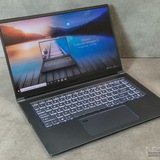
MSI Cyborg 15 A13V intermittent charging after laptop was yanked while plugged in
My MSI Cyborg 15 A13V (i7, RTX GPU) was yanked by my mom while the charger and mouse was still connected
Since then:
\-Charging is intermittent.
\-It sometimes charges, sometimes it doesn't.
\-In Windows, the charging icon rapidly flickers between charging and battery, then stops charging.
\-Twisting or moving the barrel connector doesn't seem to affect it.
\-Sometimes unplugging the charger from the wall and plugging it back in several times eventually gets it charging.
\-Once it starts charging while powered off, it can sometimes continue charging.
\-Windows also entered recovery once after the battery died unexpectedly, but it still boots.
Haven't been able to fix it till now
Asking for advice and maybe diagnosis on what to do with it and how Id might be able to fix it
https://redd.it/1um6b21
@MSILaptops
My MSI Cyborg 15 A13V (i7, RTX GPU) was yanked by my mom while the charger and mouse was still connected
Since then:
\-Charging is intermittent.
\-It sometimes charges, sometimes it doesn't.
\-In Windows, the charging icon rapidly flickers between charging and battery, then stops charging.
\-Twisting or moving the barrel connector doesn't seem to affect it.
\-Sometimes unplugging the charger from the wall and plugging it back in several times eventually gets it charging.
\-Once it starts charging while powered off, it can sometimes continue charging.
\-Windows also entered recovery once after the battery died unexpectedly, but it still boots.
Haven't been able to fix it till now
Asking for advice and maybe diagnosis on what to do with it and how Id might be able to fix it
https://redd.it/1um6b21
@MSILaptops
Reddit
From the MSILaptops community on Reddit
Explore this post and more from the MSILaptops community
Ayuda reparación MSI. Service oficial o algun técnico en Barcelona.
/r/esGaming/comments/1um9ec1/ayuda_reparación_msi_service_oficial_o_algun/
https://redd.it/1um9evz
@MSILaptops
/r/esGaming/comments/1um9ec1/ayuda_reparación_msi_service_oficial_o_algun/
https://redd.it/1um9evz
@MSILaptops
Reddit
From the MSILaptops community on Reddit: Ayuda reparación MSI. Service oficial o algun técnico en Barcelona.
Posted by Altronzz - 1 vote and 0 comments
MSI GF65 Thin 10UE (i7-10th Gen, RTX 3060) HDMI problem – monitors show "No Signal" despite detection
Hi everyone,
I'm having an issue with my MSI GF65 Thin 10UE (Intel Core i7 10th Gen, RTX 3060 6GB).
When I connect an external monitor using HDMI, Windows behaves as if it detects a display—the laptop screen briefly resizes/shrinks like it normally does when another display is connected. However, the external monitor always shows "No Signal."
Things I've already tried:
Tested with multiple monitors.
Tried different HDMI cables.
The monitors work with other devices.
What's confusing is that when I connect my display drawing tablet through the same HDMI port, it actually works as a second display. However, I notice red dots and occasional red lines on the tablet's display.
Has anyone experienced something similar?
Any troubleshooting steps or suggestions would be greatly appreciated.
https://redd.it/1umbkf4
@MSILaptops
Hi everyone,
I'm having an issue with my MSI GF65 Thin 10UE (Intel Core i7 10th Gen, RTX 3060 6GB).
When I connect an external monitor using HDMI, Windows behaves as if it detects a display—the laptop screen briefly resizes/shrinks like it normally does when another display is connected. However, the external monitor always shows "No Signal."
Things I've already tried:
Tested with multiple monitors.
Tried different HDMI cables.
The monitors work with other devices.
What's confusing is that when I connect my display drawing tablet through the same HDMI port, it actually works as a second display. However, I notice red dots and occasional red lines on the tablet's display.
Has anyone experienced something similar?
Any troubleshooting steps or suggestions would be greatly appreciated.
https://redd.it/1umbkf4
@MSILaptops
Reddit
From the MSILaptops community on Reddit
Explore this post and more from the MSILaptops community
Has anyone got the new stealth 16
I dont see much reviews of the new stealth 16 even though it seems to have been released for a bit now. Heard some are saying its really nice, some are saying its kinda shit for what it costs.
https://redd.it/1umendt
@MSILaptops
I dont see much reviews of the new stealth 16 even though it seems to have been released for a bit now. Heard some are saying its really nice, some are saying its kinda shit for what it costs.
https://redd.it/1umendt
@MSILaptops
Reddit
From the MSILaptops community on Reddit
Explore this post and more from the MSILaptops community
Where do I find replacement fans for my MSI Alpha 15 B5EEK?
Just about an hour ago, I booted up my laptop to play some games. Of which it was doing fine for a bit until a jarring mechanical scratching started to be heard.
I've already taken apart the entire thing to figure out what it was, and it's definitely the fan. Specifically the left most fan. I assume a bearing is failing or something because I've already used compressed air to clean it and there doesn't seem to be debris.
I just want to find any place that could possibly get me a new fan or whatever in a short period of time. I don't need them to replace it. That seems simple enough, and I reckon I could do it myself given some time and nervousness.
Also, is the fan and heatsink setup soldered together typically for the MSI Alpha 15 B5EEK? It seems like it is, but maybe I'm missing some screws.
https://redd.it/1umh1us
@MSILaptops
Just about an hour ago, I booted up my laptop to play some games. Of which it was doing fine for a bit until a jarring mechanical scratching started to be heard.
I've already taken apart the entire thing to figure out what it was, and it's definitely the fan. Specifically the left most fan. I assume a bearing is failing or something because I've already used compressed air to clean it and there doesn't seem to be debris.
I just want to find any place that could possibly get me a new fan or whatever in a short period of time. I don't need them to replace it. That seems simple enough, and I reckon I could do it myself given some time and nervousness.
Also, is the fan and heatsink setup soldered together typically for the MSI Alpha 15 B5EEK? It seems like it is, but maybe I'm missing some screws.
https://redd.it/1umh1us
@MSILaptops
Reddit
From the MSILaptops community on Reddit
Explore this post and more from the MSILaptops community
Possible fix for Rekordbox audio crackling / UI lag on a modern Intel laptop (power management related)
I thought I'd share this in case it helps someone else.
I have an **MSI Vector 16 HX AI** (Core Ultra 7 255HX, Windows 11) and had been chasing intermittent issues in Rekordbox for weeks:
* Audio crunching/crackling
* Waveform/frame stutters
* General UI lag
* Worse after the laptop had been idle for a few minutes
* Happened with or without my DJ controller connected
I'd previously spent a lot of time removing Nahimic/MSI audio enhancements, which improved things but didn't completely solve the problem.
Today I focused on **power management** instead.
The changes I made were:
* **PCI Express → Link State Power Management (Plugged In): Off**
* **Processor Power Management → Minimum Processor State (Plugged In): 100%**
* **Processor Power Management → Maximum Processor State: 100%**
* **Hard Disk → Turn off hard disk (Plugged In): Never**
* Removed **Process Lasso**
* Rebooted
After making those changes, Rekordbox has been completely stable so far. Previously I would usually see audio glitches and UI lag within a few minutes.
I'm **not claiming this is the definitive fix yet**—I'll be testing over the next few days—but the improvement was immediate enough that I thought it was worth sharing.
If you're using a modern Intel Core Ultra laptop and have already ruled out the obvious audio-driver issues, it may be worth checking your power management settings before tearing your audio stack apart.
https://redd.it/1umivc7
@MSILaptops
I thought I'd share this in case it helps someone else.
I have an **MSI Vector 16 HX AI** (Core Ultra 7 255HX, Windows 11) and had been chasing intermittent issues in Rekordbox for weeks:
* Audio crunching/crackling
* Waveform/frame stutters
* General UI lag
* Worse after the laptop had been idle for a few minutes
* Happened with or without my DJ controller connected
I'd previously spent a lot of time removing Nahimic/MSI audio enhancements, which improved things but didn't completely solve the problem.
Today I focused on **power management** instead.
The changes I made were:
* **PCI Express → Link State Power Management (Plugged In): Off**
* **Processor Power Management → Minimum Processor State (Plugged In): 100%**
* **Processor Power Management → Maximum Processor State: 100%**
* **Hard Disk → Turn off hard disk (Plugged In): Never**
* Removed **Process Lasso**
* Rebooted
After making those changes, Rekordbox has been completely stable so far. Previously I would usually see audio glitches and UI lag within a few minutes.
I'm **not claiming this is the definitive fix yet**—I'll be testing over the next few days—but the improvement was immediate enough that I thought it was worth sharing.
If you're using a modern Intel Core Ultra laptop and have already ruled out the obvious audio-driver issues, it may be worth checking your power management settings before tearing your audio stack apart.
https://redd.it/1umivc7
@MSILaptops
Reddit
From the MSILaptops community on Reddit
Explore this post and more from the MSILaptops community
Crackling noise issue with the MSI Cyborg A13VE speaker
Recently, I’ve noticed that the sound on my laptop distorts and crackles at high bass and high treble levels. As I usually use Linux, when I couldn’t resolve the issue, I assumed it was down to the drivers and installed Windows 11, but the problem persisted. I uninstalled and reinstalled the sound drivers, but the problem still hasn’t been resolved.
https://redd.it/1ummg27
@MSILaptops
Recently, I’ve noticed that the sound on my laptop distorts and crackles at high bass and high treble levels. As I usually use Linux, when I couldn’t resolve the issue, I assumed it was down to the drivers and installed Windows 11, but the problem persisted. I uninstalled and reinstalled the sound drivers, but the problem still hasn’t been resolved.
https://redd.it/1ummg27
@MSILaptops
Reddit
From the MSILaptops community on Reddit
Explore this post and more from the MSILaptops community
MSI CYBORG 15 B13WEKG FREEZING
hello everyone, so i have an issue with a laptop that i just bought like 1 week ago, the screen freezes when playing games (fc26 and efootball), i have to force restart it everytime with the power button, i did stress test the cpu gpu and ram test and everything seem stable temps too, if anyone exeperienced this before or have a fix i would appreciate the help
https://redd.it/1umrjln
@MSILaptops
hello everyone, so i have an issue with a laptop that i just bought like 1 week ago, the screen freezes when playing games (fc26 and efootball), i have to force restart it everytime with the power button, i did stress test the cpu gpu and ram test and everything seem stable temps too, if anyone exeperienced this before or have a fix i would appreciate the help
https://redd.it/1umrjln
@MSILaptops
Reddit
From the MSILaptops community on Reddit
Explore this post and more from the MSILaptops community
I ran a benchmark and my 4080 mobile (175W) was mostly outperforming the 4070 SUPER desktop!?
https://youtu.be/3I342JDnIIM?si=rq\_DN98\_qnF6nrAC
https://redd.it/1umsq1g
@MSILaptops
https://youtu.be/3I342JDnIIM?si=rq\_DN98\_qnF6nrAC
https://redd.it/1umsq1g
@MSILaptops
YouTube
4080M (175W) shits on 4070 SUPER (Cyberpunk2077 benchmark)
Laptop is the: MSI VECTOR 16 HX A14VHG-692US
I used a cooling pad and msi's cooler boost 5 to maintain the temps and prevent thermal throttling...
Game : Cyberpunk2077
Version : 2.3
4070 SUPER videos source links :
https://youtu.be/F9hsNaWcb0I?s…
I used a cooling pad and msi's cooler boost 5 to maintain the temps and prevent thermal throttling...
Game : Cyberpunk2077
Version : 2.3
4070 SUPER videos source links :
https://youtu.be/F9hsNaWcb0I?s…
Has anyone tried vbios flashing on msi cyborg 15 b2rw 5060
i have this laptop and its tgp is kinda low so i was thinking if anyone tried vbios flashing a 65w or 75w bios on it. If anyone have done it please let me know
https://redd.it/1umtd9v
@MSILaptops
i have this laptop and its tgp is kinda low so i was thinking if anyone tried vbios flashing a 65w or 75w bios on it. If anyone have done it please let me know
https://redd.it/1umtd9v
@MSILaptops
Reddit
From the MSILaptops community on Reddit
Explore this post and more from the MSILaptops community
GE76 Raider decided to come back to life!
Couple years ago I lost my laptop to an unfortunate orange juice incident. It obviously voided my warranty and MSI quoted me at 1300 for a new motherboard. Decided to take the loss and pack it away to maybe disassemble for parts later. I just stumbled across it today and just figured what the heck, maybe the orange juice dried enough in these 2 years. After the first 3 failed boot ups like it did years ago, it went ahead and started spinning and seems to be working fine. It’s not choppy, and I’m getting normal specs when I booted a game up.Thanks for the good equipment MSI, I need this win right now
https://redd.it/1umriju
@MSILaptops
Couple years ago I lost my laptop to an unfortunate orange juice incident. It obviously voided my warranty and MSI quoted me at 1300 for a new motherboard. Decided to take the loss and pack it away to maybe disassemble for parts later. I just stumbled across it today and just figured what the heck, maybe the orange juice dried enough in these 2 years. After the first 3 failed boot ups like it did years ago, it went ahead and started spinning and seems to be working fine. It’s not choppy, and I’m getting normal specs when I booted a game up.Thanks for the good equipment MSI, I need this win right now
https://redd.it/1umriju
@MSILaptops
Reddit
From the MSILaptops community on Reddit
Explore this post and more from the MSILaptops community
Desbloquear secure boot en laptop msi
Alguien me podría ayudar o dar información para poder desbloquear el secure boot de laptop msi thin gf63? Cuando intento configurar el secure boot no me deja ya que está en gris y no me permite acceder a el pero no encuentro como desbloquearlo intente resetear los ajustes de la bios pero tampoco y no puedo acceder Ami laptop ya que estaba formatendola y se congelo por bastante tiempo la primera ventana y la apague para ver qué pasaba y me saltó ese mensaje y no me permite acceder a Windows
https://redd.it/1umyl2s
@MSILaptops
Alguien me podría ayudar o dar información para poder desbloquear el secure boot de laptop msi thin gf63? Cuando intento configurar el secure boot no me deja ya que está en gris y no me permite acceder a el pero no encuentro como desbloquearlo intente resetear los ajustes de la bios pero tampoco y no puedo acceder Ami laptop ya que estaba formatendola y se congelo por bastante tiempo la primera ventana y la apague para ver qué pasaba y me saltó ese mensaje y no me permite acceder a Windows
https://redd.it/1umyl2s
@MSILaptops
Reddit
From the MSILaptops community on Reddit
Explore this post and more from the MSILaptops community
This thing sounds like a jet engine
Bought a vector 16 with the ryzen 9 and 5070ti about a month ago cause it was on sale at walmart and I needed something to game in hotels as I spend quite a bit of time at them. I exclusively game on a (somewhat old now) desktop with an rx6800 and apparently this laptop should give around the same performance.
It doesnt. And it sounds like a mf airplane taking off even as I type this in chrome in a cold ass hotel room in balanced mode.
I benchmarked it using cinebench (I think its fine) and it gets decent framerates in some games (not as good as I though it would) and stutters sometimes - but I will chalk that up to the hotel wifi and give it the benefit of the doubt. Point is I doubt I have a lemon.
I have read about the whole undervolt thing but I really do not have the ball knowledge for all that anymore - I have no clue what I am reading half the time nor how to access it. I am begging for instructions for my laptop processor model - most seem to be intel anyway - so that this thing isnt going 777 takeoff mode while browsing the internet - if that is even possible. I know the reviews said it was loud but this is pretty ridiculous. Any advice is appreciated. I dont mean to get under anyone's skin. Thank you.
https://redd.it/1umzj77
@MSILaptops
Bought a vector 16 with the ryzen 9 and 5070ti about a month ago cause it was on sale at walmart and I needed something to game in hotels as I spend quite a bit of time at them. I exclusively game on a (somewhat old now) desktop with an rx6800 and apparently this laptop should give around the same performance.
It doesnt. And it sounds like a mf airplane taking off even as I type this in chrome in a cold ass hotel room in balanced mode.
I benchmarked it using cinebench (I think its fine) and it gets decent framerates in some games (not as good as I though it would) and stutters sometimes - but I will chalk that up to the hotel wifi and give it the benefit of the doubt. Point is I doubt I have a lemon.
I have read about the whole undervolt thing but I really do not have the ball knowledge for all that anymore - I have no clue what I am reading half the time nor how to access it. I am begging for instructions for my laptop processor model - most seem to be intel anyway - so that this thing isnt going 777 takeoff mode while browsing the internet - if that is even possible. I know the reviews said it was loud but this is pretty ridiculous. Any advice is appreciated. I dont mean to get under anyone's skin. Thank you.
https://redd.it/1umzj77
@MSILaptops
Reddit
From the MSILaptops community on Reddit
Explore this post and more from the MSILaptops community
Advice on checking out marked down MSI Vector 16
One of the local stores has marked down MSI Vector 16 with Ryzen 8945hx, 32RAM and RTX5080. The reason for markdown is damaged packaging.
Can you give me some advice on what to check for while I’m in store before buying it?
https://redd.it/1un19ec
@MSILaptops
One of the local stores has marked down MSI Vector 16 with Ryzen 8945hx, 32RAM and RTX5080. The reason for markdown is damaged packaging.
Can you give me some advice on what to check for while I’m in store before buying it?
https://redd.it/1un19ec
@MSILaptops
Reddit
From the MSILaptops community on Reddit
Explore this post and more from the MSILaptops community
MSI GE75 Raider 10SE, trying to debloat.
I recently got an older MSI laptop, a GE75 Raider 10SE, and it has the True Color screen that can change, an RGB keyboard, and Nahimic audio. I'm brand new to MSI, so I have no clue what I'm doing. I want to remove the nonsense slowing everything down and some of the bloatware, but I'm not sure where to look or what alternatives there are. I've been reading on Reddit that MSI Center is worthless. I have SteelSeries, so I can control the keyboard with that. Any suggestions or help?
https://redd.it/1un24sa
@MSILaptops
I recently got an older MSI laptop, a GE75 Raider 10SE, and it has the True Color screen that can change, an RGB keyboard, and Nahimic audio. I'm brand new to MSI, so I have no clue what I'm doing. I want to remove the nonsense slowing everything down and some of the bloatware, but I'm not sure where to look or what alternatives there are. I've been reading on Reddit that MSI Center is worthless. I have SteelSeries, so I can control the keyboard with that. Any suggestions or help?
https://redd.it/1un24sa
@MSILaptops
Reddit
From the MSILaptops community on Reddit
Explore this post and more from the MSILaptops community
Stealth 16 not charging via type c even with 100W charger
Have stealth 16 A13VF.
Clearly supports type c charging via 20v 5a charger.
Bought original dell charger type c 100W.
Only charges when laptop is switched off which is a bummer bcoz that works with a 65 watt mobile charger also anyway.
Any clues ? Tried exploring bios options and switching to integrated graphics only mode still no avail.
https://redd.it/1un2reu
@MSILaptops
Have stealth 16 A13VF.
Clearly supports type c charging via 20v 5a charger.
Bought original dell charger type c 100W.
Only charges when laptop is switched off which is a bummer bcoz that works with a 65 watt mobile charger also anyway.
Any clues ? Tried exploring bios options and switching to integrated graphics only mode still no avail.
https://redd.it/1un2reu
@MSILaptops
Reddit
From the MSILaptops community on Reddit
Explore this post and more from the MSILaptops community
MSI Vector 16 HX AI A2XWIG — Second SSD upgrade questions
Hi everyone,
I am planning to upgrade my MSI Vector 16 HX AI A2XWIG laptop by adding a second NVMe SSD. I already have the stock 1TB Micron 2500 drive installed, and I intend to buy a Kingston Fury Renegade G5 (PCIe Gen 5) as the second drive.
Before purchasing and opening the chassis, I want to clarify a few specific details from those who have already upgraded this exact laptop:
1. M.2 Form Factor & Clearance: I've seen some laptop models where the slots are positioned opposite to each other, forcing users to switch to shorter M.2 2230 drives if both slots are populated. Can I safely run two standard M.2 2280 drives simultaneously in this chassis? Are there any restrictions regarding double-sided SSDs?
2. Slot Identification: Which physical slot is which? When looking at the motherboard with the bottom cover removed (fans facing away from me), where is the PCIe Gen 5 slot and where is the PCIe Gen 4 slot?
3. Thermal Interface (Thickness & Placement): What is the exact thermal pad setup for the empty slot? Does the pad go underneath the SSD or on top of it? What is the required thickness (in mm) and hardness/compressibility level to ensure good contact without warping the SSD's PCB?
4. Mounting Screw: Does the empty slot already have a pre-installed M2 screw on the motherboard stand, or do I need to source an M2x3mm screw separately?
Any advice, thermal results, or tips from your own upgrade experience with the Vector 16 HX AI would be highly appreciated!
Thanks in advance!
https://redd.it/1un3p5k
@MSILaptops
Hi everyone,
I am planning to upgrade my MSI Vector 16 HX AI A2XWIG laptop by adding a second NVMe SSD. I already have the stock 1TB Micron 2500 drive installed, and I intend to buy a Kingston Fury Renegade G5 (PCIe Gen 5) as the second drive.
Before purchasing and opening the chassis, I want to clarify a few specific details from those who have already upgraded this exact laptop:
1. M.2 Form Factor & Clearance: I've seen some laptop models where the slots are positioned opposite to each other, forcing users to switch to shorter M.2 2230 drives if both slots are populated. Can I safely run two standard M.2 2280 drives simultaneously in this chassis? Are there any restrictions regarding double-sided SSDs?
2. Slot Identification: Which physical slot is which? When looking at the motherboard with the bottom cover removed (fans facing away from me), where is the PCIe Gen 5 slot and where is the PCIe Gen 4 slot?
3. Thermal Interface (Thickness & Placement): What is the exact thermal pad setup for the empty slot? Does the pad go underneath the SSD or on top of it? What is the required thickness (in mm) and hardness/compressibility level to ensure good contact without warping the SSD's PCB?
4. Mounting Screw: Does the empty slot already have a pre-installed M2 screw on the motherboard stand, or do I need to source an M2x3mm screw separately?
Any advice, thermal results, or tips from your own upgrade experience with the Vector 16 HX AI would be highly appreciated!
Thanks in advance!
https://redd.it/1un3p5k
@MSILaptops
Reddit
From the MSILaptops community on Reddit
Explore this post and more from the MSILaptops community